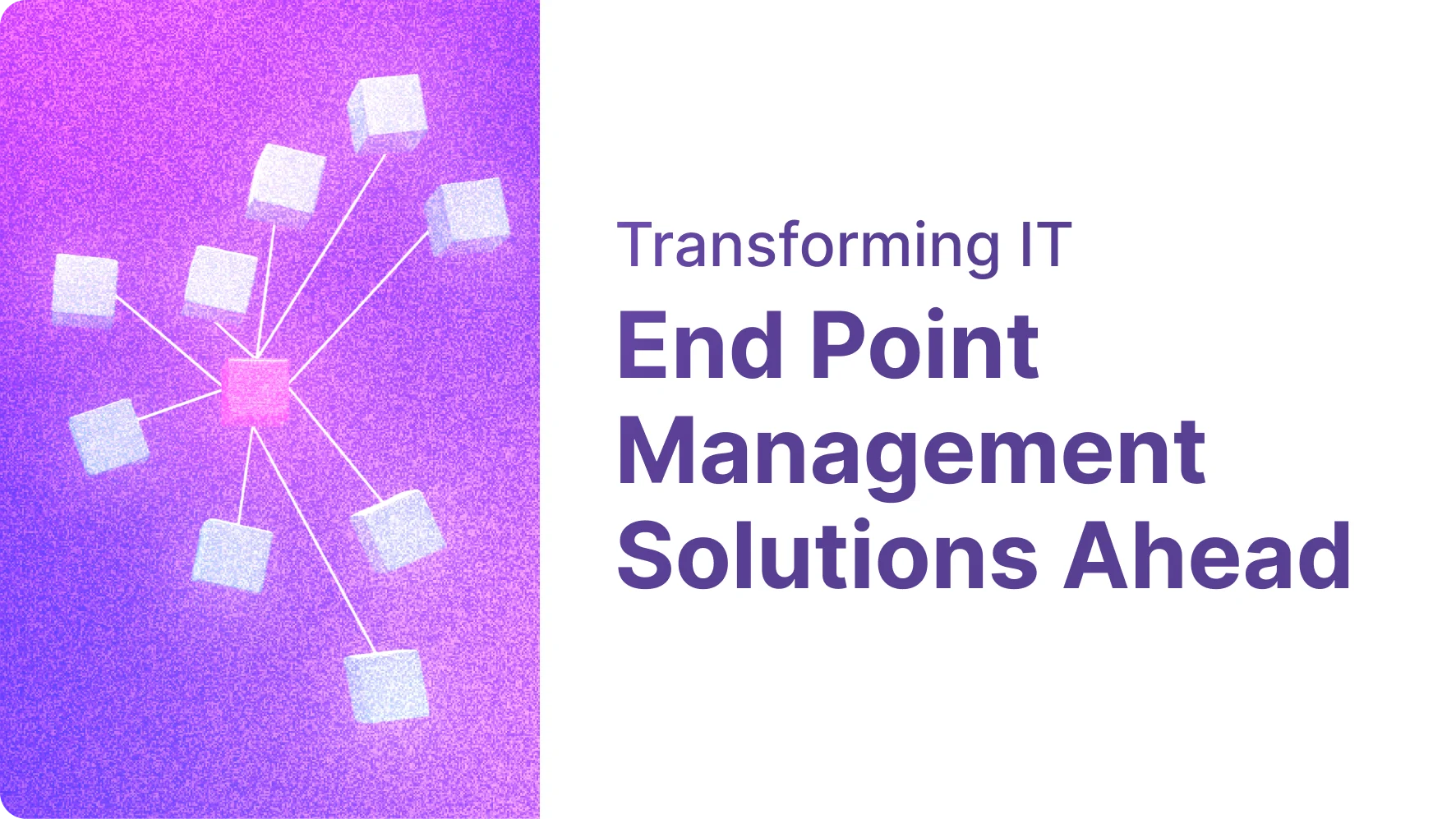
Endpoint management has become a key part of modern IT because endpoint devices now sit everywhere across the business. You may have laptops, phones, tablets, servers, printers, and internet-connected tools all touching company data. That scale makes device management harder than it used to be. As remote work grows and device types multiply, IT teams need a simple way to keep systems visible, updated, and controlled without chasing problems one device at a time.
Understanding Endpoint Management Solutions in IT
At a basic level, endpoint management solutions are centralized systems used to monitor, manage, and secure endpoint devices across an organization. They give IT teams one place to handle device management instead of working on every machine separately.
These endpoint management tools help by enforcing endpoint management policies, checking device health, pushing updates, and controlling access. In simple terms, they help organizations control devices by making sure approved systems are visible, configured properly, and kept aligned with company rules. The next sections break that down further.
Defining Endpoints and Their Role in Modern Organizations
An endpoint is any device that connects to an enterprise network and interacts with business systems or data. That includes common endpoint devices such as laptops, desktops, smartphones, tablets, and servers. It can also include printers, smartwatches, point-of-sale systems, medical devices, and internet of things hardware.
What matters is not the shape of the device but its role in IT operations. If it sends, receives, or stores company information, it is part of the environment that must be tracked and managed. Different device types create different support and security needs, which is why visibility matters so much.
For organizations, endpoints are where work happens. They support employees, business apps, and day-to-day access to digital resources. They also expand the attack surface, so endpoint management solutions help organizations control devices by keeping these connections organized and monitored.
What Makes Endpoint Management Critical for IT Departments
As organizations grow, device management becomes harder to handle manually. More users, more locations, and more systems mean IT teams can lose track of what is connected, what is updated, and what should be allowed on the network.
That is a serious issue because endpoints are common entry points for cyber threats. Unpatched systems, weak controls, and poor access management increase security risks and make unauthorized activity easier. A single unmanaged device can expose valuable data or open paths to larger systems.
This is why endpoint management solutions are critical. They help IT teams control devices by screening them, authenticating them, and applying rules at scale. Instead of relying on manual checks, teams can standardize access management, keep devices compliant, and reduce the chance of costly gaps across the environment.
Evolution of Endpoint Management Solutions
Endpoint management started with basic device control tasks such as pushing settings, changing passwords, and handling updates on a limited set of systems. Early approaches often treated desktops, mobile devices, and other endpoints as separate problems.
Now, endpoint management solutions have moved toward a broader model. A modern endpoint management system can cover many endpoint types with centralized oversight, and unified endpoint management has become a practical answer for reducing silos. That shift matters because organizations need stronger control without adding more disconnected tools.
From Device Control to Unified Strategies
In the past, many organizations used different tools for different endpoint devices. One product might handle phones, another might support laptops, and a third might focus on software updates. That fragmented model made device control slower and harder to scale.
Over time, endpoint management solutions expanded beyond single-purpose administration. The goal shifted from managing isolated systems to creating a unified strategy across the entire device estate. That change was driven by the need for consistency, simpler operations, and faster response when devices drifted from policy.
Unified endpoint management reflects that progress. It brings oversight of many endpoint devices into one workflow, often through a central dashboard. This helps organizations control devices more effectively because policies, updates, and visibility can be handled together instead of being spread across separate tools and processes.
The Impact of Remote Work on Endpoint Management
Remote work changed endpoint management in a big way. Devices are no longer tied to office networks, and employees may connect from home, while traveling, or from many other locations. That makes visibility and control much harder if teams depend on physical access.
Because of this shift, remote device management has become essential. IT teams need remote management capabilities to troubleshoot issues, deploy updates, lock systems, or wipe data without touching the device in person. They also need remote access options that support quick support and consistent configuration.
Endpoint management policies help maintain compliance and security for remote devices by applying the same rules wherever the device is used. If a system is missing updates or falls out of policy, teams can respond quickly. That keeps remote work practical without giving up control.
Major Types of Endpoint Management: MDM, EMM, and UEM
Not every approach to endpoint management solutions covers the same ground. The main categories are mobile device management, enterprise mobility management, and unified endpoint management, and each one expands the scope of control.
The difference comes down to device types and management capabilities. MDM focuses mainly on mobile devices. Enterprise mobility management goes further by covering mobile infrastructure, apps, and data controls. Unified endpoint management takes the broadest view by handling many endpoint types from one place. The next sections explain how each model works in practice.
Mobile Device Management (MDM) Explained
Mobile device management is built for smartphones, tablets, and other mobile endpoints used for work. It helps organizations apply device management rules to systems that often move across networks and carry access to important business data.
This matters because mobile devices can be lost, stolen, or used outside controlled office settings. In some workplaces, employees also use personal devices for business tasks. That creates extra complexity, especially when companies need to protect work data without overreaching into private use.
In practice, mobile device management supports remote monitoring, policy application, password control, and other security settings on mobile hardware. It is narrower than broader endpoint management models, but it plays an important role when companies need focused control over employee phones, tablets, and bring-your-own-device environments.
Enterprise Mobility Management (EMM) in Practice
Enterprise mobility management builds on MDM by taking a wider view of mobility. Instead of only managing the device itself, it also addresses mobile apps, content, identity, and parts of the supporting infrastructure used by employees on and off the network.
That means enterprise mobility management can vary by organization. Some deployments focus on restricting apps. Others focus more on compliance or secure access management before users reach protected information. It can also cover broader mobile-related device types and supporting components such as wireless networks or IoT-connected elements.
In practice, EMM sits between MDM and full UEM. It gives endpoint management tools more depth for mobile operations while still centering on mobility. If MDM manages selected device features, EMM manages the larger mobile experience around access, content, and policy.
Unified Endpoint Management (UEM) and Its Benefits
Unified endpoint management is the broadest of the three models. It allows organizations to manage many endpoint categories through a single console instead of juggling separate platforms. That includes traditional computers, mobile systems, and other connected devices that need oversight.
This approach stands out because endpoint management solutions become easier to operate when teams can work from one place. A central view improves device inventory, reduces duplicate effort, and helps administrators apply changes consistently across different systems.
Common benefits of unified endpoint management include:
A single console for monitoring, updates, and policy tasks
Better device inventory and visibility across many endpoints
Simpler administration when multiple device groups must follow the same standards
For organizations with growing complexity, UEM offers the clearest path to unified control.
Key Features of Future-Focused Endpoint Management Software
When you evaluate endpoint management software, the top key features usually come back to visibility, automation, and control. You need a tool that can see devices clearly, apply rules consistently, and reduce manual effort as the environment grows.
Just as important, the platform should support policy enforcement, patch management, security policies, and device health tracking. Based on the compiled guidance, future-ready tools also need remote support, multi-operating-system coverage, and simple administration. The following features show what that looks like in daily IT operations.
Device Inventory and Visibility Tools
You cannot manage what you cannot see. That is why device inventory is one of the first things to look for in endpoint management software. It gives IT teams a real-time view of endpoint devices, who uses them, and how they fit into the environment.
Visibility also strengthens asset management. When teams can see which systems are active, outdated, noncompliant, or connected to risky networks, they can make faster decisions. This turns device management from a reactive process into an organized one.
Good visibility tools should help you:
Track endpoint devices across the organization from one dashboard
Review device health and identify systems that need attention
Support asset management by showing status, ownership, and compliance posture
Without that foundation, policy, patching, and access control become much harder to enforce.
Policy Enforcement and Compliance Tracking
Policies only matter if they are applied consistently. In endpoint management, policy enforcement turns written standards into automatic action across enrolled devices. That can include password rules, encryption settings, application restrictions, and access control requirements.
Compliance tracking adds the feedback loop. Instead of assuming devices follow endpoint management policies, IT teams can verify whether they meet requirements in real time. If a system falls behind on updates or violates configuration standards, the platform can flag it for action.
This is especially useful for remote devices. Endpoint management solutions help maintain compliance and security for remote devices by applying the same rules whether a user is in the office or elsewhere. That reduces drift, improves audits, and gives teams better confidence that access control and security expectations are being met.
Automated Patch Management and Updates
Many breaches succeed because something old was never fixed. That makes patch management one of the most important capabilities in endpoint management solutions. If updates are missed, attackers can exploit known weaknesses long before teams notice the risk.
Automated patch management removes the need to rely on users to update their own systems. Instead, IT can push security updates and operating system fixes through a central platform. This improves consistency and lowers the chance that important systems stay exposed.
A strong solution should support:
Automated patch management for operating systems and common software
Scheduled security updates without constant manual effort
Software deployment that helps teams roll out fixes and approved applications at scale
For most organizations, automation here saves time and reduces avoidable security gaps.
Endpoint Management vs. Endpoint Security
Endpoint management and endpoint security work together, but they are not the same thing. Endpoint management focuses on controlling devices, applying standards, and keeping systems configured, updated, and authorized to connect.
Endpoint security solutions focus on detecting and stopping threats such as malware, phishing, ransomware, and suspicious behavior. In other words, endpoint management creates order and consistency, while endpoint protection supports security operations by defending those managed devices from attack. Understanding that difference helps you choose tools that cover both control and protection.
Security Controls Within Endpoint Management
Even though endpoint management is not the same as endpoint security, it still includes important security controls. These controls focus on who can connect, what rules devices must follow, and whether systems meet required standards before gaining access.
That means access management is a big part of the picture. Endpoint management can define permissions, enforce authentication, and apply configuration standards across devices. Those steps do not replace a dedicated security solution, but they create the conditions that make endpoint security solutions more effective.
Typical security controls within endpoint management include:
Device authentication before network or application access
Access management based on approved devices and proper settings
Consistent enforcement of security policies across managed endpoints
So while threat detection belongs more to security tools, baseline control often begins with management.
Differentiating Endpoint Management from Traditional Security Solutions
Traditional security solutions often center on blocking malicious activity. Antivirus software is a classic example. It focuses on identifying and stopping known threats on the device. Newer endpoint protection platforms go further with broader defenses, behavior monitoring, and response functions.
Endpoint management serves a different purpose. It is about oversight, configuration, updates, and ensuring only approved devices connect at the right level of access. It helps enforce security policies, but it does not replace the threat-focused role of a dedicated protection stack.
A practical way to view the difference is this: endpoint management supports network security by controlling devices and enforcing standards, while endpoint protection platforms and antivirus software work to detect, block, and respond to attacks. Most organizations need both if they want strong day-to-day resilience.
Benefits of Endpoint Management Solutions for Businesses
For businesses, endpoint management solutions bring structure to a fast-growing device environment. They improve visibility, automate routine tasks, and make it easier to apply standards across many device types without relying on manual work.
That matters even more when organizations use mixed platforms. The right endpoint management tools support broad management capabilities, strengthen endpoint security management, and create a stable base for endpoint protection. Whether your teams use Windows or other operating systems, centralized control helps reduce friction and improve consistency across the business.
Supporting Diverse Operating Systems (Windows, macOS, Linux, etc.)
Most businesses do not run a single platform anymore. One team may use Windows laptops, another may prefer macOS, and some workloads may depend on Linux systems. Managing each environment separately quickly increases complexity for IT.
This is where strong endpoint management tools add value. The compiled guidance stresses that a good platform should work across multiple operating systems and provide broad device management from one place. That helps teams avoid fragmented processes and keeps standards more consistent.
For mixed environments, the benefits include:
Centralized device management for Windows, macOS, Linux, and mobile systems
Fewer separate tools to learn and maintain
More consistent policies, updates, and oversight across operating systems
So if your business supports more than one platform, endpoint management solutions can simplify control while reducing operational gaps.
Improving IT Workflow and Reducing Risks
A well-run endpoint management system improves IT workflow by centralizing everyday tasks. Instead of handling updates, settings, and support requests device by device, teams can automate routine actions and manage issues from a shared platform.
That efficiency supports risk reduction too. Effective endpoint management helps keep systems updated, aligned with policy, and easier to monitor. When devices are visible and standardized, there is less room for outdated software, weak settings, or unmanaged access to create security problems.
It also helps IT and security teams work better together. Endpoint security becomes stronger when the environment is already organized and controlled. In practical terms, businesses benefit from faster support, more reliable compliance, and fewer avoidable gaps that attackers could use to reach sensitive systems or cause data loss.
Challenges IT Administrators Face in Endpoint Management
Even with better tools, endpoint management is not simple. IT administrators have to keep up with growing numbers of endpoint devices, shifting work patterns, and rising compliance expectations while still maintaining day-to-day support.
The biggest challenges usually include device sprawl, shadow IT, inconsistent policies, and the risk of unauthorized access. Management capabilities may look strong on paper, but execution gets harder as the environment expands. The next sections look at two of the most common pressure points teams face when implementing endpoint management solutions.
Maintaining Compliance Across Devices
Compliance becomes difficult when organizations have many devices, users, and locations. A rule may be clear, but ensuring every endpoint follows it at all times is another matter. The larger the environment, the easier it is for gaps to appear.
Endpoint management policies help, but they still need consistent device control and visibility. If devices are not enrolled, updated, or monitored correctly, administrators may not know when systems drift away from required standards. That can create audit issues and increase operational risk.
Access rights add another layer of complexity. Different users need different permissions, and those privileges must stay aligned with policy. For IT administrators, one of the main challenges in implementation is maintaining compliance across varied devices while keeping rules practical, enforceable, and visible through centralized oversight.
Addressing Device Sprawl and Shadow IT
Device sprawl happens when the number of connected systems grows faster than the organization’s ability to track them. Add personal devices, remote workers, and specialty hardware, and it becomes easy for unmanaged systems to slip into the environment without proper review.
Shadow IT makes that harder. When users adopt unsanctioned apps or devices, IT loses visibility and policy enforcement becomes weaker. This raises the chance of unauthorized access and creates blind spots in asset management.
Common problems include:
Unknown devices connecting without formal approval
Weak asset management when ownership and status are unclear
Reduced policy enforcement because some tools and devices sit outside IT control
For administrators, controlling growth without slowing the business is one of the toughest parts of effective endpoint oversight.
Leading Endpoint Management Tools and Solution Vendors for 2026
When people ask which endpoint management tools are recommended in 2026, the compiled material points to platforms that combine centralized control, remote support, patching, policy enforcement, and visibility across device types. It also highlights growing interest in unified platforms that reduce tool sprawl.
Since the source material names specific solution vendors and service providers only in limited ways, the safest view is to compare the models and examples explicitly discussed.
Category or Vendor Mentioned | Main Offering Mentioned in the Compiled Information |
|---|---|
Sentinel One | Unified platform supporting endpoint security management, visibility, AI-driven protection, EDR/XDR, and remediation |
MiniOrange UEM | Unified device management, enrollment, policy enforcement, monitoring, patch management, remote troubleshooting |
UEM platforms | Centralized management of multiple endpoint types through a single console |
MDM and EMM platforms | Focused mobile management and broader mobility management capabilities |
Industry Trends and Top Recommended Platforms
Industry trends in 2026 point toward consolidation, automation, and stronger remote control. Organizations want endpoint management tools that support asset management, policy consistency, and fast response to security threats without forcing teams to manage separate products for every device group.
The compiled information repeatedly favors platforms that offer a unified view, cross-platform support, remote remediation, and built-in efficiency. It also shows growing interest in AI-supported monitoring and simpler administration, especially as remote work and hybrid setups continue to expand.
Platform or Approach | What Experts Tend to Value Based on the Compiled Information |
|---|---|
Unified Endpoint Management platforms | Single-console control, broad device coverage, simpler administration |
Sentinel One Singularity | Visibility across endpoints, AI support, real-time monitoring, response and rollback actions |
MiniOrange UEM | Device onboarding, policy enforcement, patch management, remote support, lockdown controls |
Strong MDM/EMM offerings | Useful when the organization is heavily centered on mobile use cases |
If you are evaluating providers, start with coverage, usability, automation, and fit for your environment.
Conclusion
The landscape of endpoint management solutions is evolving rapidly, driven by technical advancements and the critical need to secure modern hybrid work environments. Navigating this transition starts with choosing the right model whether MDM, EMM, or UEM to fit your device ecosystem.
By moving away from fragmented tools and adopting future-focused features like automated patching, real-time compliance tracking, and full asset visibility, organizations can streamline IT workflows while closing critical security gaps.
Ready to eliminate blind spots and simplify your device management?
To explore tailored endpoint solutions built for your technical stack.
Frequently Asked Questions
How do endpoint management solutions help organizations maintain security for remote devices?
Endpoint management solutions support remote device management by applying security policies, updates, and access management rules no matter where a device is used. They also give IT teams remote access for troubleshooting, locking, or wiping systems, which helps maintain endpoint protection when users work outside the office.
What are the main differences between MDM, EMM, and UEM?
Mobile device management focuses on phones and tablets. Enterprise mobility management expands into mobile apps, content, identity, and related infrastructure. Unified endpoint management is the broadest model, bringing device management for many endpoint types into one platform with wider management capabilities and a more centralized operating model.
How can businesses choose a future-ready endpoint management tool?
Businesses should compare endpoint management tools based on endpoint management software usability, cross-platform coverage, automation, and remote support. Key features should include asset management, device inventory, policy enforcement, patching, and compliance visibility. A good starting point is to match the platform’s scope and simplicity to your actual environment.
Sources & Citations
- Definition of Endpoints & Asset Management: NIST Special Publication 1800-5
- Zero Trust & Endpoint Compliance Controls: NIST SP 800-207 – Zero Trust Architecture
- Patch Management Best Practices: https://csrc.nist.gov/pubs/sp/800/40/r4/final
- Microsoft Intune (UEM / MDM Reference Architecture): https://learn.microsoft.com/en-us/intune/